Robot solver improvements
In V1.1 we've improved performance of the robot solver by up to 7X without compromising accuracy.
Robot Solver Comparison
There are two possible approaches for solving robot inverse kinematics:
- Analytic methods
- Numerical methods
Analytic methods are the most commonly used approach in traditional Offline Robot Programming (OLP) and Robotic Simulation software. The two advantages of analytic methods are that they are extremely efficient and they can recover all possible solutions easily. However, there are a couple notable disadvantages:
- Not all robots can be solved analytically.
- Each different type of robot requires a unique solver.
The first limitation is often due to redundant degrees of freedom. For example, 7-axis articulated robot arms can have infinite possible solutions for any given target. This affords the robot flexibility, allowing it to better avoid singularities and work within tighter spaces. The second disadvantage is purely related to developer effort. Some robots are notoriously difficult to solve analytically, and creating many different analytic solvers is both time-consuming and error-prone. If you want to simulate a robot that the developer of the digital twin software hasn’t already provided in a catalog, you either need to wait for a developer to add this additional robot to their catalog, or develop the custom solver yourself.
Numerical methods are strictly necessary for robots that can’t be solved analytically. They also allow users to simulate any robot without deriving the inverse kinematics. In this respect, numerical methods are extremely convenient and flexible. ProtoTwin Simulate has always used numerical methods for these reasons, but this convenience comes with the cost of computational efficiency.
Numerical Methods
Numerical methods iteratively solve the inverse kinematics for a robot. They take the TCP and target frames, and then they iterate to solve the joint angles. This iterative approach is computationally expensive, particularly when the robot has kinematic closed loops or there are many degrees of freedom to be solved.
The canonical example of a difficult to solve robot is a delta robot. Delta robots contain several closed loops, and can have approx 40 degrees of freedom. Although the robot solver integrated into ProtoTwin has always been extremely efficient in comparison to other numerical solvers, delta robots were still very expensive to solve.
Performance Improvements
With the latest version, we’ve made significant efficiency savings that allow us to deliver a 7X performance improvement when solving delta robots. Compared to a leading competitor, the robot controller in ProtoTwin V1.1 is now over 26X faster for solving delta robots.
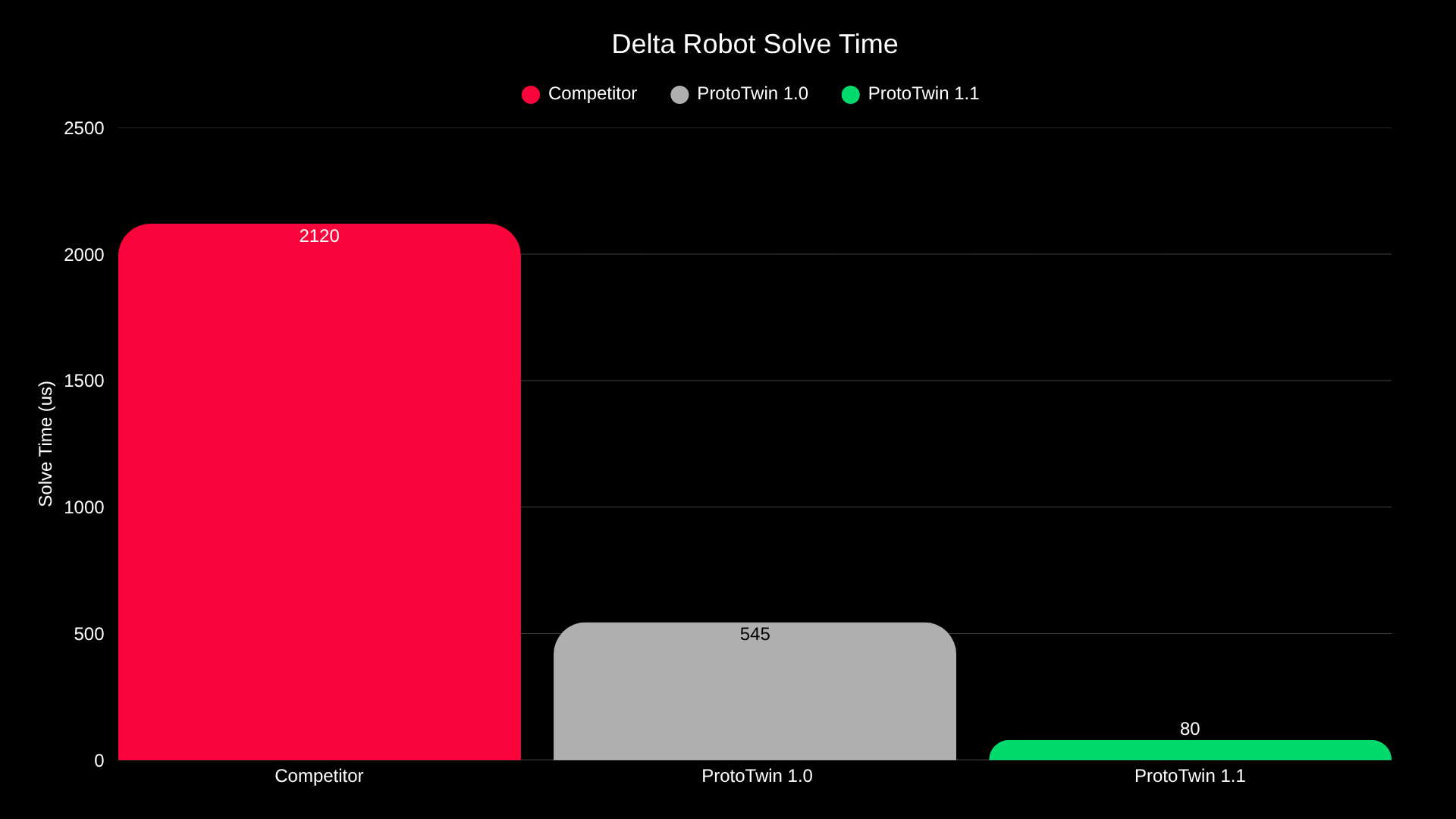
When performing linear moves, a 39 degree of freedom Autonox delta robot can now be solved in just 80 microseconds with an error of less than 1E-9. SCARA robots can be solved in under 8 microseconds, and 6-axis articulated robotic arms in about 10 microseconds.
To put these numbers into context, with a 10ms (100Hz) timestep, ProtoTwin V1.1 can now sequentially solve:
- 125 delta robots
- 1000 6-axis robots
- 1250 SCARA robots
Note that these numbers assume the worst-case scenario of solving the robot every timestep whilst performing linear moves. Most industrial robots are programmed using a mixture of linear moves and joint moves, allowing many more robots to be solved in practice. Additionally, these numbers assume each robot is solved sequentially, one after another. In future versions, we can solve robots in parallel, potentially scaling these numbers by another 10X or more.
Solution Selection
It is possible for numerical solvers to discover all possible solutions when there are a finite number of solutions within the bounds of the joint limits. ProtoTwin uses an exhaustive solver to achieve this. The solution picker can be used to select a solution to a joint move instruction at design-time, avoiding the need to solve the move at run-time. However, prior to V1.1, this only considered solutions within the interval [-180, 180] degrees.
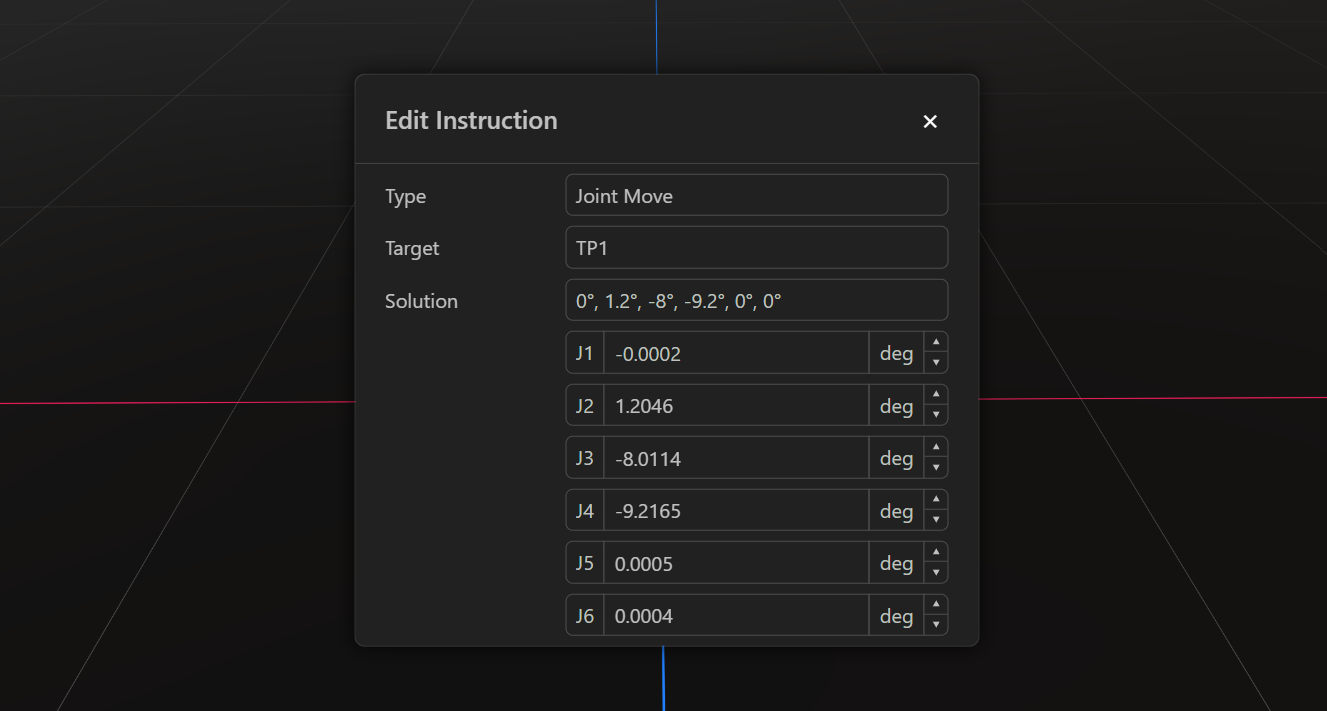
We’ve now added a new solution picker UI to the robot controller, allowing you to increment the solved angles by +/- 360 degrees, provided that the joint limits are satisfied. This can be important to unwind joints during moves, in order to avoid hitting joint limits in subsequent moves.