Direct IO Connections
Direct IO connections allow you to connect component IO properties in ProtoTwin to other component IO properties completely through the user interface. Common examples include:
- Connecting the state of a push button to the state of an indicator light.
- Connecting the state of a suction gripper to the IO of a gripper signal created using the robot controller component.
- Connecting the current position of one motor to the target position of another motor.
Creating a Connection
You can only create direct IO connections for components that have IO, such as a motor component, sensor component, suction gripper component or robot controller component. Click the ellipsis to the right of the components name in the inspector and then select IO from the dropdown menu.
This will open a dialog window, which displays all IO properties for the component.
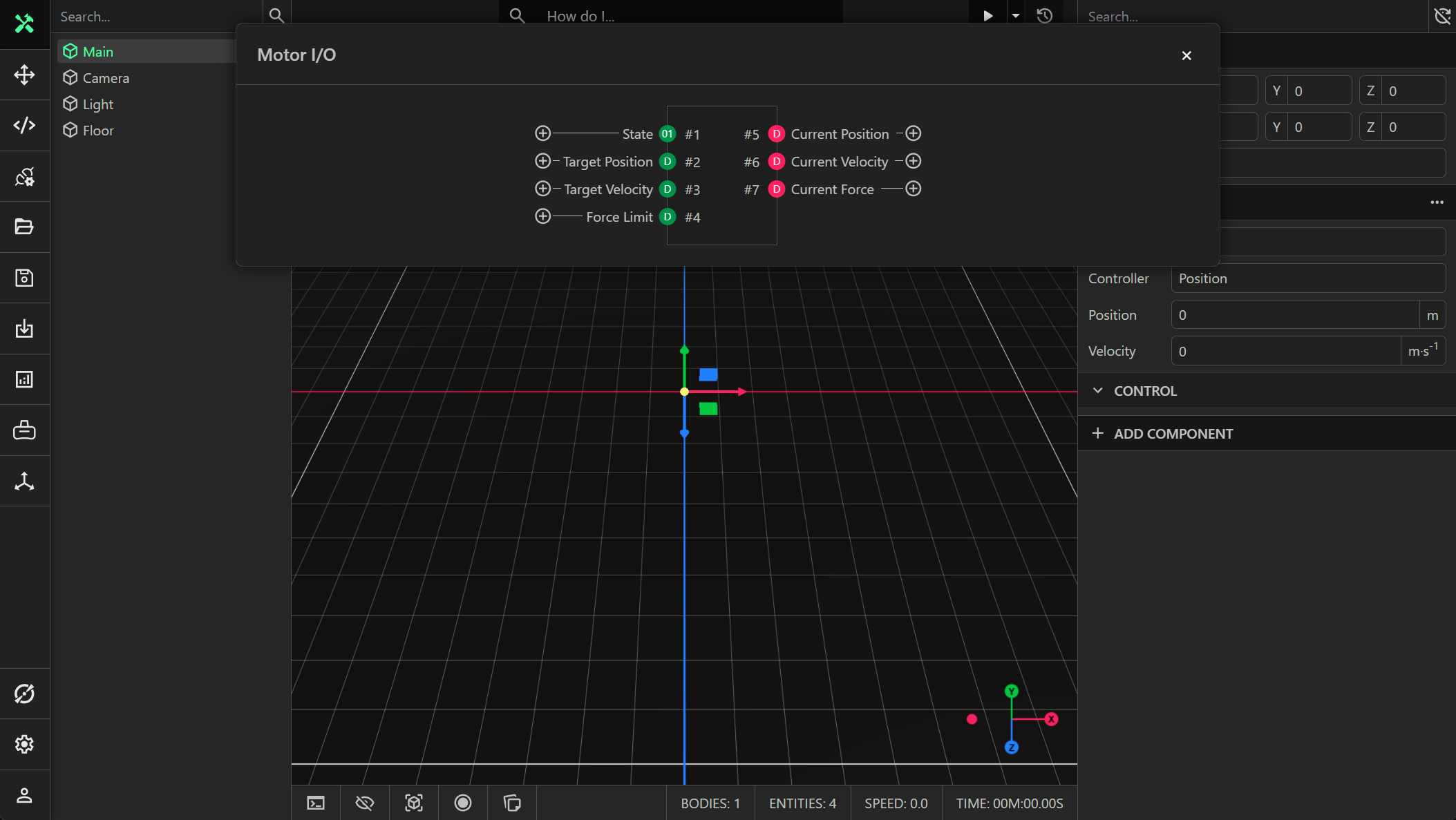
Click the button to the side of an IO point to create an IO connection. The properties to the right in red are readable (output) signals. The properties to the left in green are writable (input) signals.
Permissions
Readable (output) IO signals can be connected directly to writable (input) IO signals of other components. Similarly, writable (input) IO signals can be connected directly to Readable (output) IO signals of other components. It is possible to connect a readable signal to more than one writable signal. For example, you may connect the state of a push button component (readable/output signal) to the state of many different indicator lights (writable/input signals). However, a writable (input) signal cannot be connected to more than one readable (output) signal.
Control Logic
Direct IO connections are analogous to connecting two IO points with a physical wire. To affect an output based on some logic, there are multiple methods:
- Use a custom scripted component
- Use a physical PLC with ProtoTwin Connect
- Use the integrated SoftPLC
- Use the sequence component
- Use the robot controller component
Configuration
A signal is defined by its Entity/Component/Property path, which can be configured by selecting the entity name, component name and property signal from the dropdown menu.

Deleting a Connection
You can delete an IO connection by clicking the delete button to the side of the connection.