Viewport
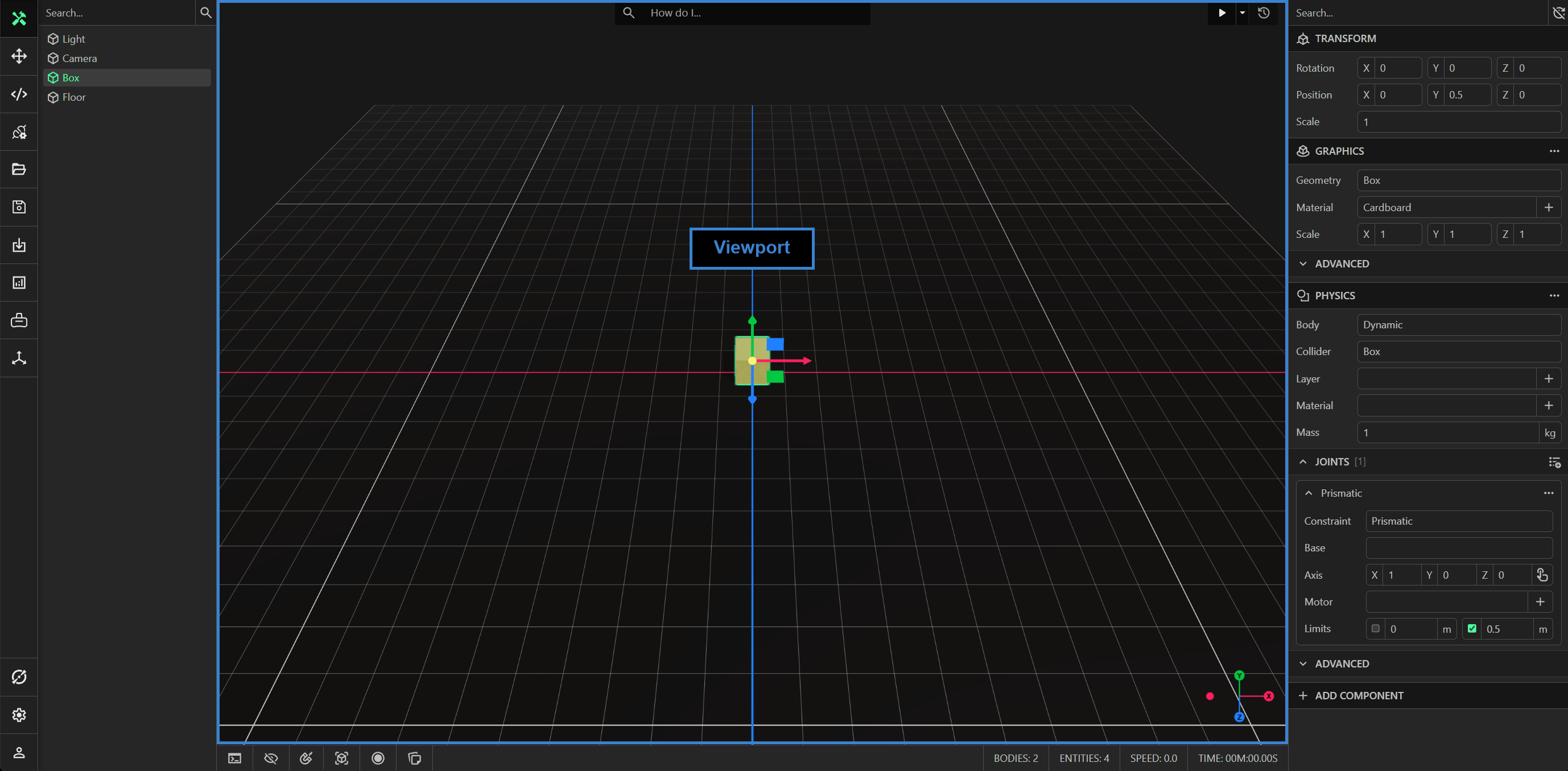
The viewport displays the live 3D representation of the model from the perspective of the camera. You can orbit, dolly and pan the camera. You may also select, translate, rotate and scale entities.
AI Search
You can use the search bar at the top of the viewport to send a query to ProtoTwin’s AI agent Torq. Torq can answer questions, execute scripts to create entities, modify components, create files, read files, capture a screenshot of your model, etc. Ask Torq a question whenever you need help with modeling.
Selecting Entities
You can click on the graphics mesh of an entity to select the entity. The selected entity will be rendered with a green outline and highlighted in the explorer. The component properties of the selected entity will also be displayed in the inspector. You can clear the selection by left-clicking on the floor or empty space.
You can also right-click on the graphics mesh of an entity in the viewport to select between any of its ancestors (without using the hierarchy in the explorer). This will show a context menu for all ancestors, from the top-level entity to the entity itself.
Transform Gizmo
The transform gizmo appears when selecting an entity. It allows you to translate, rotate and scale entities. You can click the transform gizmo button in the toolbar to manually toggle the transform gizmo between translation, rotation and scale.
View Cube
The view cube displayed at the bottom right of the viewport shows the orientation of the camera in 3D space. You can use the view cube to align the camera to look against the direction of the selected axis. You may also toggle the projection method of the camera lens by right-clicking.
Physics Interaction
You can interact with entities that have a physics component, including those where springs, joints and motors are applied. To interact with an entity, hold down the left-mouse button, then drag your mouse to apply a force. This feature is only supported in navigate mode.