Rotary Switch
The rotary switch component implements a digital rotary switch. You can toggle the switch between a specified number of positions and angles. For more details on all properties associated with the rotary switch component and how to use the rotary switch component with scripting, please see the API documentation.
The current position and initial position of the rotary switch is a value in the range:
where positions is the number of discrete positions. The current position is incremented by one up to the maximum value by clicking on the rotary switch entity, but you must be in navigate mode. The position is decremented by one down until zero by holding the SHIFT key and clicking on the entity, but you must be in navigate mode as well.
You can also specify a Step Angle which rotates the entity of the switch (about the Axis and around the Anchor point) whenever the current position is updated.
Properties
The rotary switch component properties that are accessible through the inspector.
Axis
The axis about which the rotary switch entity should be rotated.
Anchor
The point about which the rotary switch entity should be rotated.
Step Angle
The angle to rotate the rotary switch entity whenever the current position is updated.
Positions
The number of discrete positions for the rotary switch.
Initial Position
The initial position of the rotary switch. The initial position must be within the range defined above.
IO
The IO signals for the rotary switch component. Please see the RotarySwitchIO API documentation for more details.
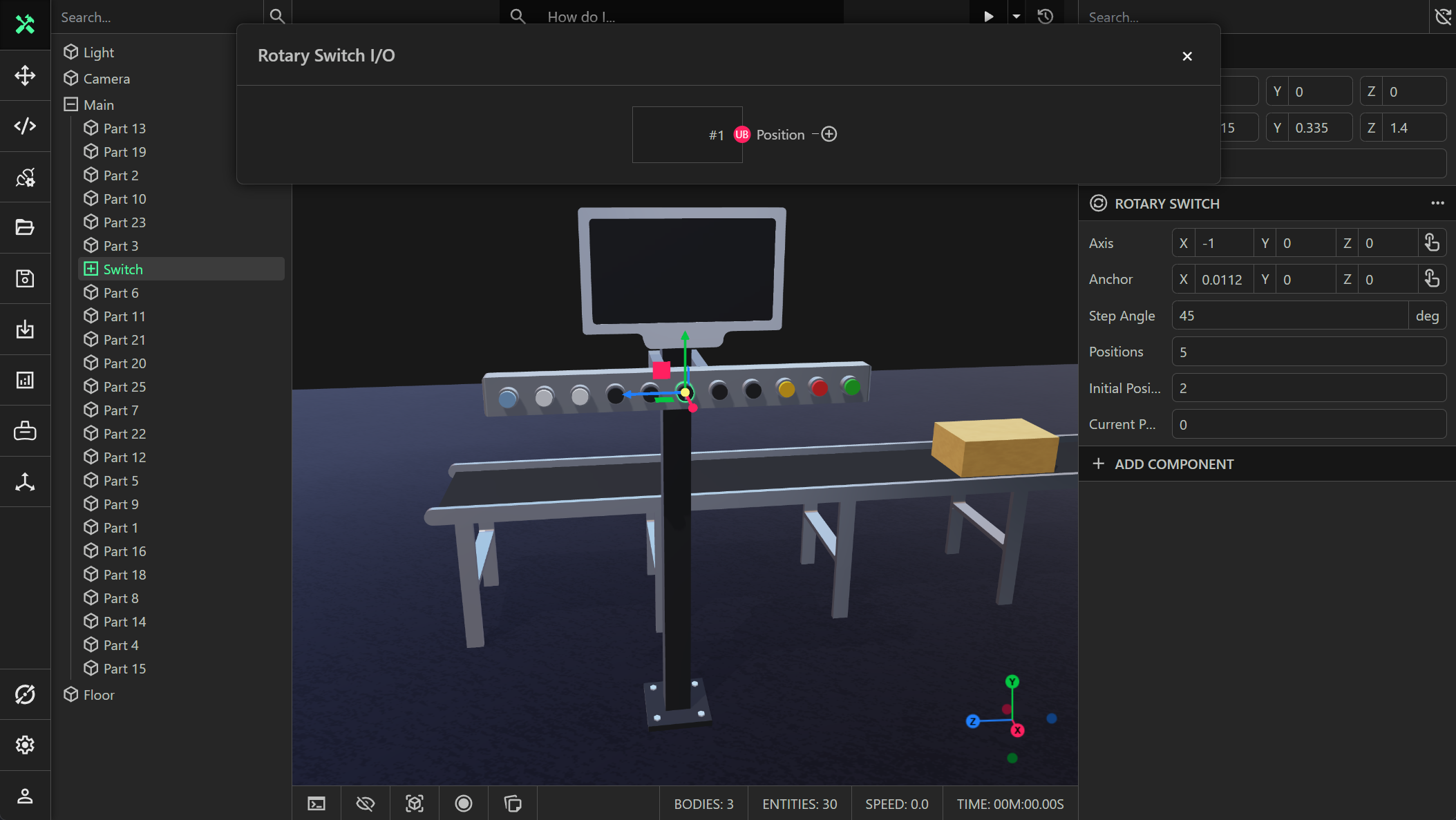
Position
A uint8 readable (output) signal that stores the current position of the rotary switch.