Suction Gripper
The suction gripper component grips entities using a vacuum pump. For more details on all properties associated with the suction gripper component and how to use the suction gripper component with scripting, please see the API documentation.
The suction gripper can be enabled by setting the state to true and disabled by setting the state to false. To simulate the act of gripping, a fixed joint is created between the rigid body of the suction gripper and the rigid body of the gripped entity.
Properties
The suction gripper component properties that are accessible through the inspector.
Position
The start of the detection ray. You can click the feature selection button to select a feature from the mesh. Hover over the feature you want to select and then left-click to confirm the selection.
Direction
The direction of the detection ray. You can click the feature selection button to select a feature from the mesh. Hover over the feature you want to select then left-click to confirm the selection. You can right click whilst hovering to negate the direction vector.
Range
The maximum range at which entities can be gripped.
State
Whether the vacuum pump is turned on, allowing entities to be gripped.
Layer
The collision layer for entities that can be gripped. Entities with layers that are set to collide with this layer can be gripped by the suction gripper. Otherwise, the entity cannot be gripped by the suction gripper. If no layer is specified, then every entity that has a physics component can be gripped by the suction gripper.
Kinematics
Whether entities with kinematic rigid bodies can be gripped.
IO
The IO signals for the suction gripper component. Please see the SuctionGripperIO API documentation for more details.
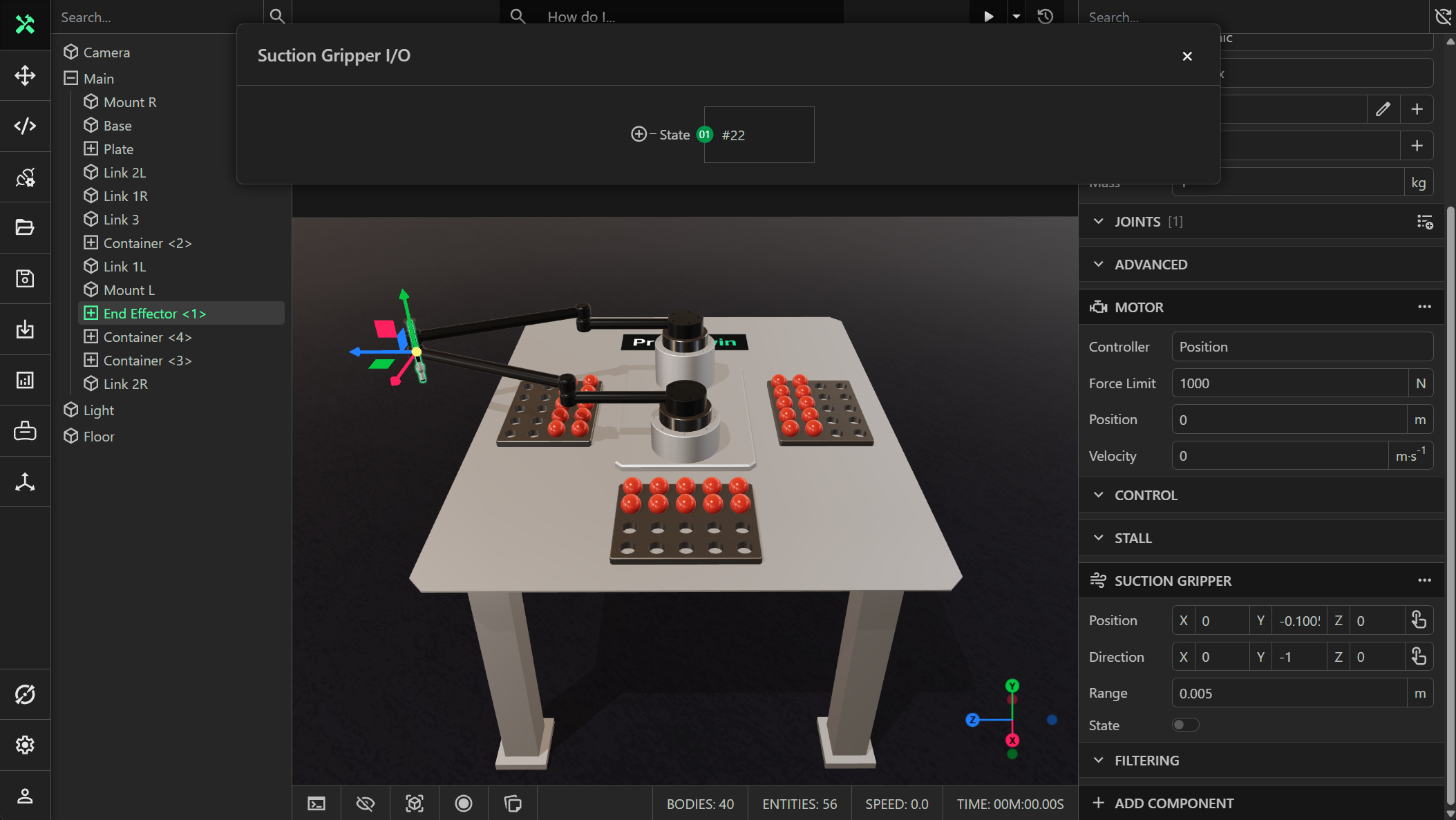
State
A boolean writable (input) signal that has the value true if the suction pump is turned on, and false otherwise.